


AI Invoice & Estimate Maker
4.32.00 Reviews
App Specs
- Version
- 9.2
- Updated On
- License
- Free
- Downloads
- 10,000+
- Developer
- HorizonSoft
- Categories
- Business
- Platform
- Android
Screenshots
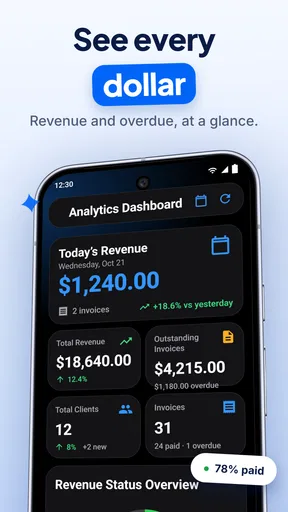
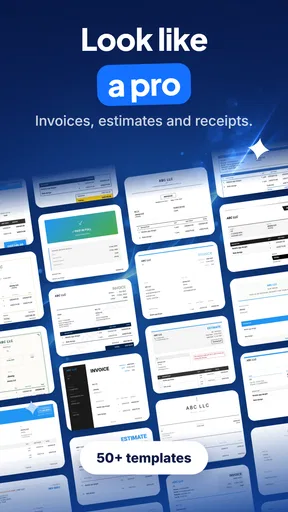
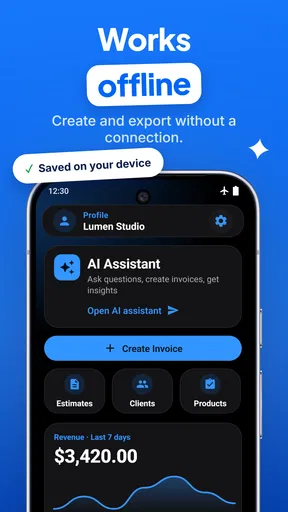
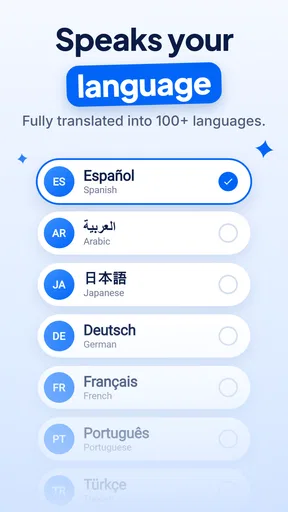
 Analysis by AppCompare
I usually think of invoice apps as tools for one person at one desk, but AI Invoice & Estimate Maker becomes more interesting when a small business is run by several people sharing a phone or tablet. A partner may handle customer messages, one person may do the work, and someone else may need to prepare the estimate or send the final invoice. In that situation, a focused business app can be more practical than passing around spreadsheets and trying to remember which document is the latest.
I spent time looking at AI Invoice & Estimate Maker from that everyday angle. It is a free business app from HorizonSoft, aimed at creating invoices and estimates rather than acting as a complete accounting system. The store rating sits at 4.3 from a little over two hundred ratings, and the app has passed ten thousand installs. Those figures suggest a modest but real user base, not the maturity of a long-established finance platform.
My overall impression is that this is best viewed as a quick document-making tool. It can suit a cleaner, faster workflow for freelancers, tradespeople, consultants, and small household businesses. It is less convincing for a company that needs deep bookkeeping, stock management, payroll, complex tax handling, or carefully separated employee access. That distinction matters before anyone puts it on a shared device.
How it fits a shared household or small team
When more than one person helps run a small business, I find it useful to agree on a simple handoff before anyone starts drafting documents: who records the job details, who checks the amounts, and who gives the final approval. That routine can make a shared device genuinely helpful without turning it into an open-access business folder. It also sets up the next question: how to keep customer information and business responsibilities distinct.
A practical scenario for two people running one business
Imagine a couple running a home-repair service. One person visits customers and discusses the job, while the other stays home, orders materials, and handles administration. A customer asks for a written estimate while the person on-site is still travelling. With an invoice and estimate app available on a shared tablet, the administrative partner can prepare the document from the agreed details instead of rebuilding it later from handwritten notes.
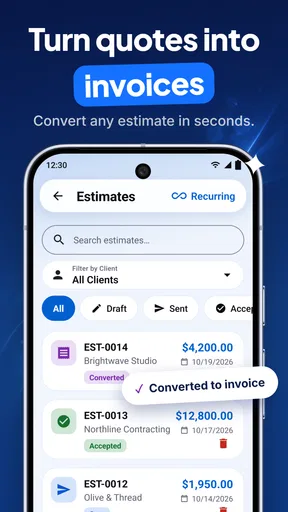
That workflow is where this app makes sense. Estimates can be prepared before work begins, while invoices belong to the stage after the work is completed. Keeping those two document types in the same focused tool should make the handoff easier than using a general notes app for one and a word processor for the other. I would still check every line before sending anything, especially when the person creating the document was not present at the customer visit.
The shared-device advantage is not really about having more people logged in. It is about reducing friction between roles. A person who is comfortable with the work may not enjoy office software, while the person handling administration may not know every technical detail of the job. A simple document workflow gives each person a clear responsibility: confirm the job information, prepare the estimate, review the amounts, and issue the final invoice when appropriate.
Worth Reading Before You Choose

Flipboard Shows What News Apps Must Do Beyond the Feed

Switching to Android Auto Means Rethinking Your Driving Routine

Google Calendar Makes a Crowded Week Easier to Manage

Ludo King Makes the Most of the Minutes Between Plans

Baby Panda World Brings Quick Play to Modern Phones, but Its Game Library Feels Busy

ESPN’s Live Game View Makes Following Close Games Easier
There is also a useful distinction between a household sharing responsibility and a household sharing all information. If the device is used for personal banking, messages, photographs, and business documents, I would be cautious about leaving the app open. An invoice can contain customer names, addresses, phone numbers, descriptions of work, and payment information. The convenience of one tablet in the kitchen should not become an excuse for casual access to private customer records.
What I would decide before installing it
Before using the app on a shared phone, I would agree on who is allowed to create an estimate, who can turn an estimate into an invoice, and who gives the final approval. Those rules may sound excessive for a two-person operation, but they prevent a common mistake: one person sends a document while the other still believes the figures are being checked.
I would also choose one person to maintain the wording used for services. For example, if one partner writes “standard installation” and another writes “basic fitting,” customers may receive documents that look inconsistent even when the work is similar. The app can help produce documents quickly, but it cannot replace an internal agreement about names, quantities, discounts, and payment expectations.
A shared device is particularly useful when the business has a small number of recurring services. It is less comfortable when every project is highly customized and the person preparing the invoice needs extensive notes from the person who performed the work. In that case, the app may still produce the final document, but the real challenge is collecting accurate information before opening it.
Setup boundaries are more important than speed
The app is available at no upfront cost, which makes it easy to test without committing money immediately. It is suitable for Everyone, and the minimum operating-system requirement is Android 7.0, so it can work on older compatible Android hardware. That is useful for a business that keeps a dedicated older phone at the counter rather than handing over a newer personal device.
Free installation does not mean every possible use is free. The app includes in-app purchases ranging from $2.99 to $139.99 per item. I would therefore install it first, inspect what is available without payment, and only then decide whether the paid options match the business need. For a shared household, that conversation should happen before anyone enters real customer information or assumes that a paid capability is necessary for routine invoicing.
The current version is 9.2, and the app was released on October 16, 2025. I would keep the app updated on the device used for business work, but I would not update immediately before an important customer appointment without checking that the normal workflow still feels familiar. A small business often depends on a simple routine, and even a helpful interface change can cause confusion when someone is preparing a document in a hurry.
My setup would begin with a test customer and a sample service. I would create an estimate, inspect the wording and totals, and then go through the invoice process without sending anything. This catches practical problems early: a missing business detail, an awkward description, an amount entered in the wrong place, or a document that is not as readable as expected on the recipient’s side. The important point is to test the complete path, not just the first screen.
Keeping account boundaries clear
Household coordination becomes harder when everyone assumes that the same device means the same authority. I would treat the app as a business workspace, even if it sits on a family tablet. The person who owns the device should not automatically be the person who approves financial documents, and the person who knows the device password should not automatically be trusted to alter business details.
I would avoid mixing personal and business identities in the same document process. Customer records should use the business contact details, not whichever email address happens to belong to the family member holding the tablet. Likewise, a document should be reviewed for the correct business name and payment instructions before it leaves the device. These checks are simple, but they matter more than shaving a few seconds off document creation.
I would also keep a basic external record of issued invoices. That could be a separate business folder or a regularly maintained spreadsheet, depending on the size of the operation. The reason is not that this app is unsuitable; it is that a document maker should not be the only memory of money owed. If a device is lost, replaced, or used by the wrong person, an independent record makes reconciliation much less stressful.
Coordination between the field and the home office
The strongest household workflow is one where the person doing the work sends complete information in a predictable format. Before creating an estimate, I would want the job description, customer details, quantities, agreed rates, and any special conditions written down. A short message or shared note can provide that handoff, while the invoice app remains responsible for producing the formal document.
One non-obvious benefit of this separation is that it reduces silent assumptions. If the administrator has to ask whether travel was included, whether materials were supplied by the customer, or whether a discount was promised, the missing information becomes visible before the estimate is sent. The app does not solve that communication problem, but its structured document can expose it at the right moment.
I would use estimates as a checkpoint rather than treating them as disposable previews. Once the customer accepts the scope, the person doing the work should confirm any changes before the final invoice is prepared. A revised quantity or extra service can be easy to overlook when the invoice is created from memory. Comparing the completed work with the original estimate is a better habit than assuming the two documents should always match.
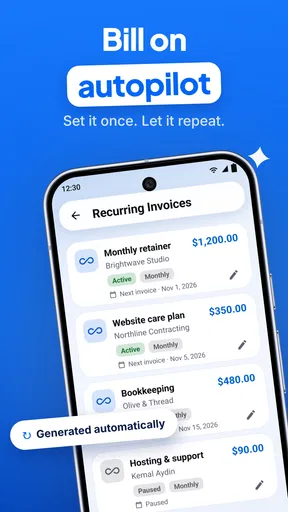
For recurring customers, I would keep descriptions specific enough to be useful later. “Repair work” is quick but weak. A description that identifies the room, item, or service performed gives both household members a clearer reference when a customer asks about the charge weeks afterward. The app’s value grows when its documents help people remember what happened, not merely when they look tidy.
Where AI helps and where I would slow down
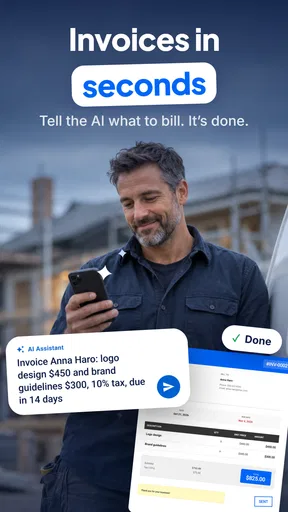
The AI label suggests a more guided approach to preparing invoice content, which may appeal to someone who does not enjoy writing business documents. I see that as a convenience, not as an approval system. Any generated wording should be checked against the actual job, because polished language can still describe the wrong service or imply something the business did not promise.
My preferred approach would be to use assistance for organizing a rough description, then edit it into plain language that the customer will understand. I would be especially careful with technical work, exclusions, warranties, and materials. A neat sentence is not automatically a precise sentence, and a shared household workflow increases the chance that the person reviewing the wording is not the person who performed the job.
There is a useful trade-off here. A guided tool may help a new freelancer produce a professional-looking estimate sooner than a blank document would. At the same time, a business owner who already has carefully tested templates may find the extra assistance unnecessary. In that case, a traditional invoicing platform with stronger recurring templates or accounting connections could be a better fit.
Age, trust, and responsible use
The Everyone age rating makes the app broadly accessible, but age suitability is not the same as financial responsibility. I would be comfortable with a teenager helping enter a draft service description under supervision, but I would not treat the age rating as permission to let a young family member approve prices, alter payment details, or send invoices independently.
This is less about technical restrictions and more about trust boundaries. Someone can be perfectly capable of typing customer information while still lacking the context to judge whether an amount is correct. On a shared device, I would make the final review a deliberate human step performed by the business owner or another trusted adult.
I would also explain to everyone using the device why customer information needs care. A child may understand that an invoice is important without understanding that an address or phone number should not be copied into a personal chat. Clear household rules are more dependable than assuming that a general-audience rating covers privacy, accuracy, or business judgment.
For a family business, I would keep the app’s role narrow: create and review business documents, not act as a general family finance hub. That boundary makes training easier and reduces the chance that personal purchases, school activities, or unrelated notes become mixed with customer paperwork.
When another type of tool is the better choice
I would choose this app over a blank word processor when speed and structure matter more than advanced financial administration. A word processor can make a document look acceptable, but it leaves more room for inconsistent numbering, forgotten totals, and accidental edits. A spreadsheet offers flexibility, yet it can become fragile when several people copy formulas or overwrite cells on a small screen.
On the other hand, I would look beyond this app if the business needs full accounting records, bank reconciliation, inventory, payroll, detailed tax reporting, or multiple staff members with carefully controlled permissions. A dedicated accounting service is usually more appropriate when invoices are only one part of a larger financial process. This app can sit near the front of that workflow, but I would not mistake it for the entire back office.
I would also hesitate if the business has strict approval procedures. A larger team may need an audit trail showing who drafted, changed, approved, and sent each document. A small household operation can manage that with agreed routines and an external record, but a growing company may outgrow informal coordination quickly.
My household verdict
After considering how it works in a shared setting, I see AI Invoice & Estimate Maker as a useful starting point for a small, trust-based business. Its free entry point, business focus, and support for both estimates and invoices make it more practical than improvising with notes or documents. The app is especially appealing when one person handles customers in the field and another handles administration from home.
I would install it on a dedicated business device if possible, test the complete estimate-to-invoice routine, and agree on approval rules before using real customer records. I would also review the in-app purchase choices carefully, maintain an independent record of issued documents, and treat AI-assisted wording as a draft that needs human checking.
My recommendation is positive but specific: choose it if you want a focused way to prepare professional business documents and your household can coordinate informally but carefully. Skip it in favor of a fuller accounting solution if you need deep financial controls, complex records, or formal staff permissions. For a freelancer, couple, or very small service business, the most important strength is not automation alone but a clearer handoff between the person doing the work and the person handling the paperwork.
Pros
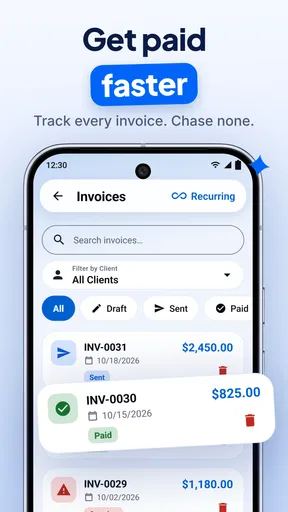
- Creates professional invoices and estimates directly from your phone.
- AI assistance can speed up item descriptions and document preparation.
- Useful templates help maintain a consistent business appearance.
- Supports quick sharing of invoices with clients in digital formats.
- Helpful for freelancers and small businesses managing billing on the go.
Cons
- Advanced features may require a paid subscription or in-app purchase.
- AI-generated details should be checked for pricing and tax accuracy.
- Customization options may be limited compared with desktop accounting tools.
- Cloud-based features may depend on a stable internet connection.
- Not ideal for complex accounting
- inventory
- or multi-business workflows.
FAQs for AI Invoice & Estimate Maker
What is AI Invoice & Estimate Maker used for?
AI Invoice & Estimate Maker is designed to help freelancers, contractors, small businesses, and independent professionals create invoices, estimates, and related business documents from a mobile device. During testing, the app’s main appeal was its ability to organize customer details, services, prices, taxes, and payment information in a more structured format than creating documents manually.
Can I create professional invoices and estimates without accounting experience?
Yes. The app is intended for users who may not have formal accounting or bookkeeping experience. Its guided document-creation process lets you enter client information, add products or services, apply quantities and rates, and review totals before sending the document. However, users should still check tax calculations, payment terms, and local invoicing requirements because the app cannot replace professional financial advice.
Does AI Invoice & Estimate Maker automatically calculate totals and taxes?
The application can help calculate common invoice details such as quantities, rates, subtotals, discounts, and totals, depending on the features available in your version. Tax handling may vary by region and account settings, so it is important to verify the final amount before sharing an invoice. Businesses with complex tax rules should confirm that the generated document meets their local requirements.
Can I send or share invoices and estimates with customers?
After creating a document, users can generally save it and share it with customers through supported options such as email, messaging applications, or other available export tools. This makes the app useful for professionals who need to issue documents while working away from a computer. Before sending, review the customer name, contact details, due date, payment instructions, and total amount carefully.
Is AI Invoice & Estimate Maker free to download and use?
The app may be available as a free download, but some features can depend on in-app purchases, subscriptions, usage limits, or the specific version offered on Android and iOS. Premium tools may include additional templates, branding options, document history, cloud features, or advanced AI assistance. Check the current store listing and subscription terms before starting a trial or entering payment details.


